Category: Web Design Tutorial

What Are Technologies for Web Development (and How Do They Work)?

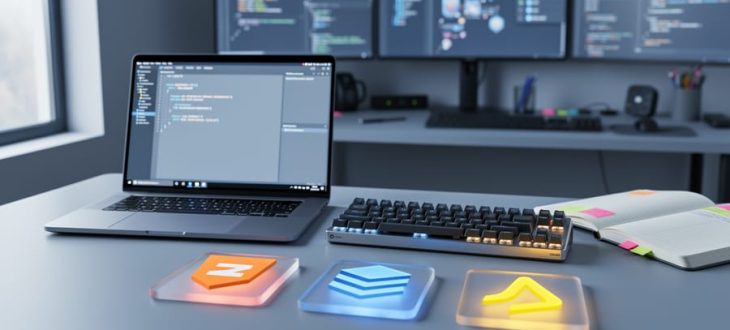
“Modern developer workspace with laptop, keyboard, and colorful tech-shaped tiles representing web development layers on a desk under natural daylight.”

Web development technologies are the programming languages, frameworks, and tools developers use to build and maintain websites and web applications. Think of them as the building blocks that turn an idea into a working site you can visit in your browser.
If you’re curious about creating your own website or just want to understand how the web works, knowing these technologies helps you make smarter decisions. Whether you’re hiring a developer, building a side project, or exploring a potential career change, the landscape can feel overwhelming at first. The good news? You don’t need to master everything at once….

How to Implement Responsive Web Design (RWD) for Your Vancouver Business

“A Vancouver small business owner reviewing a responsive website on a laptop and smartphone at a desk in soft natural light.”

Responsive web design lets you build a single website that automatically adapts to any screen size, from desktop monitors to smartphones, using three core techniques: fluid grids, flexible images, and media queries. You can learn these skills in about two to four weeks of focused practice, and you don’t need any advanced coding knowledge to get started.
For small business owners in Vancouver, mastering responsive design means your site will work perfectly whether customers find you on their phone during their commute or on a laptop at home. Google prioritizes mobile-friendly sites in search results, so getting this right …

Guide to Responsive Web Design Companies in Toronto: Top Picks, Pricing, and Local Tips

A Toronto small business owner working with a laptop while a smartphone and tablet illustrate responsive web design across devices.

Your Toronto business needs a website that works beautifully on every device, from smartphones to desktops, and hiring a local responsive web design company is the fastest way to make that happen. Responsive design means your site automatically adjusts its layout, images, and navigation to fit any screen size, giving visitors a smooth experience whether they’re browsing on a tablet during lunch or checking your hours on their phone. For Toronto small business owners, this isn’t just about looking modern. It directly affects whether potential customers stay on your site or leave in frustration.

How to Make a Concept Web for Website Design Projects

Laptop and tablet on a desk with blank paper showing a color concept web made of connected circles and lines beside a pencil and sticky notes

Making a concept web for your website means sketching out every page, section, and piece of content in a visual diagram before you write a single line of code. This planning step takes 30 to 90 minutes depending on your site’s complexity, and it saves you hours of confusion and rework later. You’ll connect circles or boxes representing each page with lines that show how visitors move through your site, creating a bird’s-eye view of your entire web structure.
Key Takeaway: Concept webs prevent confusion and rework by mapping all design elements before touching code. Spending …

How to Back Up Your WordPress Site in 5 Simple Steps

Laptop and smartphone on a desk with an external hard drive, symbolizing backing up a WordPress site to a secure cloud location.

Backing up your WordPress site takes about 15 minutes with a free plugin, and it’s the single most important task you can do to protect months or years of work from disappearing overnight. If your site gets hacked, your host has a server failure, or you accidentally delete something critical, a recent backup is the difference between a quick recovery and starting from scratch.
The good news? You don’t need technical skills or coding knowledge to create reliable backups in 2026. Modern WordPress backup plugins handle everything automatically, storing copies of your entire site (all your posts, pages, images, theme files, …

Write Your First Webpage in 30 Minutes (Even If You’ve Never Coded Before)

Close-up of hands typing on a laptop at a clean desk in soft natural light, with the screen content blurred and a closed notebook, small plant, and mug in the background.

Open your computer’s basic text editor right now—Notepad on Windows or TextEdit on Mac—and type these five lines exactly as shown:
“`
My First Page
Hello World!
“`
Save this file as “index.html” on your desktop, then double-click it. Congratulations—you just built your first webpage. No special software required, no complicated installations, just plain text that your browser instantly transforms into a functioning website.
HTML isn’t a programming language filled with complex logic and algorithms. Think of it as a labeling system where you simply tell your …

Designing Your Website: Technologies

Designing the Web with technologies is as visual as it is technical. While developing web pages requires extensive knowledge of coding, especially HTML/CSS coding, designing web pages requires extensive knowledge of visual aesthetics and interactive web appeal.
Visual aesthetics come in the form of graphics, color presentation, palette principles, and even the use of Flash to support video content or animated elements.
What web graphic elements require extensive website technologies?
The following elements will tell you when you need an extended website technology to, initially, reduce the bandwidth …

Designing Your Website: Audience Targeting

Web designing revolves around audience targeting and the technologies supporting it. In planning your website design, it looks at the available technologies of the audience it caters; the computer itself, its OS version and subsequent updates, software updates, internet connectivity type, and browser versions alongside subsequent updates.
When designing your website, you need to keep in mind the skills and technology of your target audience. Some of the things to consider include:
1. Target Audience skills
Determine whether your target audience is computer savvy or they have no computer experience….

Designing Your Website: Site Purposing

Designing your webpage covers two important purpose factors: User Experience (UX) and User Interface (UI). They define how your website is designed that is deemed accessible by the users depending on their experience navigating your website as well as the presentability and appeal of its interface.
No matter the evolution stages of the World Wide Web, the user’s purpose of building websites has always been the same. The needs for a website have always revolved around its marketing appeal as well as its communicative appeal.
Designing your website revolves around the following purposes:
1. Generate Revenue…