

High tech website design refers to building websites using modern web development technologies that go beyond simple HTML and CSS. Think dynamic animations, interactive features, real-time data updates, voice commands, and interfaces that adapt instantly to what users do. These sites don’t just display information. They respond, remember, and create experiences that feel more like apps than traditional web pages.
Why does this matter for your project? As browsers have become more powerful and internet speeds have improved, visitors now expect websites to do more than sit there looking pretty. A restaurant site should let customers reserve tables without leaving the page. An online store should filter products instantly as shoppers type. A portfolio should showcase work with smooth transitions that don’t feel clunky or dated.
The good news is that you don’t need a computer science degree to understand what’s possible or even to build high tech features yourself. Many modern tools and frameworks have made advanced functionality accessible to beginners. The key is knowing which technologies exist, what problems they solve, and when you actually need them versus when a simpler approach works better.
This guide breaks down the landscape of high tech web design in practical terms. You’ll learn what powers those impressive websites you’ve seen, how different pieces work together, and how to decide which features make sense for your specific situation.
What High Tech Website Design Means Today
High tech website design in 2026 refers to sites that respond intelligently to user actions, adapt seamlessly across devices, and deliver personalized experiences without requiring page refreshes. Unlike traditional static websites that display the same fixed content to everyone, high tech designs use modern technologies to create interactive, app-like experiences directly in your web browser.
The key difference lies in how these sites behave. A basic HTML/CSS website shows predetermined text and images arranged on a page, what you see is what everyone sees. High tech design, by contrast, enables websites to remember your preferences, update content in real time, process payments securely, display different information based on your location, and work smoothly whether you’re on a phone, tablet, or desktop computer.
- Responsive Design
- A website layout that automatically adjusts and reorganizes content to fit any screen size, from smartphones to large monitors.
- Dynamic Content
- Website elements that change based on user interactions, time, location, or personalized data rather than displaying the same fixed information to everyone.
- Progressive Web App (PWA)
- A website that behaves like a mobile app, working offline, sending notifications, and installing on home screens without needing an app store.
- API Integration
- Connections that let websites communicate with external services to pull in live data like weather updates, payment processing, or social media feeds.
These technologies work together to create what feels like a custom application rather than a simple document you’re reading. When you filter products on a shopping site and see results update instantly, or when a form tells you there’s an error before you click submit, you’re experiencing high tech design in action. The technical complexity happens behind the scenes, but the result should feel effortless and intuitive for anyone using the site.
How High Tech Website Design Works

The Front-End Technologies
The front end is everything you see and click on when you visit a website, it’s the layer that runs directly in your browser. Modern front-end design relies on three core technologies working together. HTML5 provides the structure and content of the page, defining where text, images, buttons and forms live. HTML5 defines web apps with built-in features for video, audio and interactive elements that once required clunky plugins. CSS3 handles all the visual styling, colors, fonts, layouts, animations, and responsive designs that adapt to phone screens or desktops. It’s what makes a site look polished rather than plain. JavaScript adds the interactive magic: drop-down menus that respond instantly, forms that validate your input before you submit, image carousels that slide smoothly, and dynamic content that updates without reloading the whole page.
Together, these three technologies create the smooth, responsive experiences you expect from modern websites. The good news? You can learn the basics of all three without a computer science degree, starting with simple HTML pages and gradually adding styling and interactivity as your skills grow.
The Back-End Systems
While front-end technologies handle what you see and click, back-end systems are the invisible engines that make websites truly dynamic. Think of it like a restaurant: the front-end is the dining room where you order, but the back-end is the kitchen, storage, and staff coordination that makes your meal happen.
When you log into a website, search a product catalog, or submit a contact form, you’re triggering back-end processes. Server-side languages like PHP, Python, or Node.js process your requests, checking passwords, finding matching products, or sending emails. These programs run on web servers (powerful computers that stay online 24/7), not in your browser.
Most dynamic websites also use databases, organized storage systems that hold user accounts, product details, blog posts, and other changeable information. When you search Amazon, the back-end queries its database for matching items and sends results to your browser.
APIs (Application Programming Interfaces) act as messengers, letting different systems talk to each other. They’re how payment processors connect to online stores, or how weather widgets fetch current conditions.
You don’t need to master back-end coding to understand it, but knowing these systems exist helps you recognize when you need them versus when simple HTML pages will do.
Types of High Tech Web Design Technologies
Interactive Frameworks and Libraries
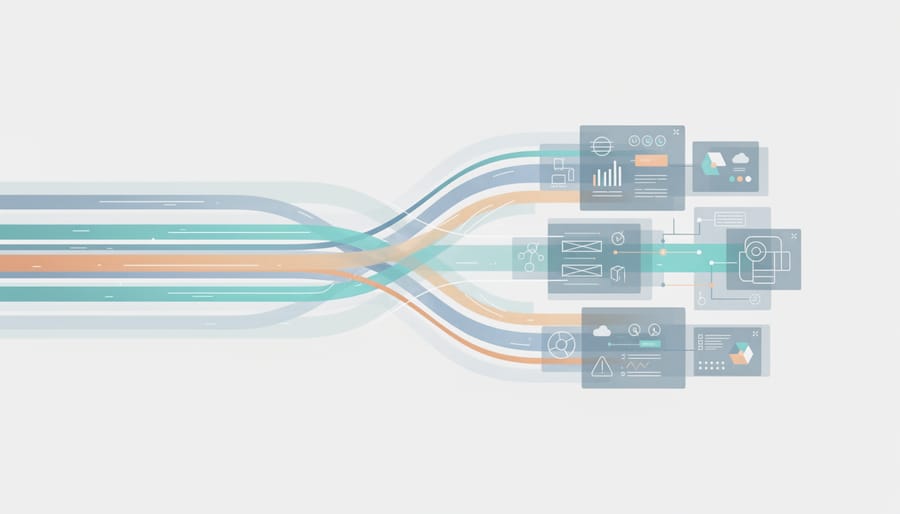
JavaScript frameworks and libraries are tools that make building interactive websites much easier than writing everything from scratch. Think of them as pre-built toolkits, instead of coding every button click or menu animation line by line, these frameworks give you ready-made components you can customize and combine.
React, Vue, and Angular are the most popular options in 2026. They let you create websites that feel like mobile apps: content updates instantly without page refreshes, forms validate as you type, and interfaces respond immediately to user actions. A shopping cart that updates quantities in real-time? A dashboard that filters data without reloading? These frameworks handle the complex logic behind such features.
For beginners, these tools involve a learning curve beyond basic HTML and CSS. However, many provide visual builders or simplified starter templates that let you experiment without mastering every technical detail first. The payoff is creating professional, responsive experiences that would take months to code manually.
Responsive and Mobile-First Design Systems
Your website needs to look good whether someone visits from a laptop, phone, or tablet, and responsive design handles that automatically. Instead of building separate sites for each device, you use CSS frameworks like Bootstrap or Tailwind that include pre-built grid systems. These grids divide your page into flexible columns that rearrange themselves based on screen width.
Media queries enable responsive layout by detecting the visitor’s screen size and applying different styling rules accordingly. On a phone, your three-column layout might stack into a single column. On a desktop, it spreads out to use the full width.
Mobile-first design flips the traditional approach: you start by designing for phones, then add enhancements for larger screens. This ensures your site works everywhere and loads quickly on slower mobile connections, which matters since most web traffic now comes from phones.
Content Management and Automation Tools
Content management systems like WordPress, Webflow, and Shopify represent the sweet spot where high tech meets user-friendly. These platforms give you sophisticated website capabilities, dynamic content, user accounts, e-commerce, automated updates, without writing code from scratch.
Think of a CMS as a control panel for your website. Instead of editing HTML files directly, you work through an intuitive dashboard where you can add pages, upload images, change layouts, and manage products using visual tools. Behind the scenes, these platforms handle all the complex database connections, security updates, and responsive design adjustments automatically.
Modern automation tools take this further by connecting your website to other services, automatically posting new blog articles to social media, sending welcome emails to subscribers, or updating inventory across multiple sales channels. These integrations used to require custom programming but now work through simple setup wizards.
For small business owners, this means you can launch and maintain a genuinely sophisticated online presence while focusing on your actual business instead of becoming a programmer.
Progressive Web Technologies
Progressive web technologies let websites behave like the apps you download from app stores, but they live in your browser. A Progressive Web App (PWA) loads instantly, works offline, sends push notifications, and can be saved to your phone’s home screen with its own icon. You don’t need separate iOS and Android versions.
WebAssembly runs complex calculations at near-native speed inside browsers, making web-based photo editors or games as fast as installed software. Modern browser APIs add capabilities once reserved for native apps: accessing your camera, reading files, detecting location, even working with Bluetooth devices.
These technologies mean your website can deliver app-like experiences without asking users to visit an app store or take up phone storage.
When and Why You’d Use High Tech Design
You don’t need advanced web technologies for every project. A simple HTML and CSS site works perfectly for a basic portfolio, a restaurant menu page, or an informational blog. But certain business goals and user experiences become practical only when you add high-tech features.
High-tech design makes sense when your site needs to do something interactive or personalized, beyond just displaying static information. Before you invest time learning frameworks or hire a developer, sketch out a concept web to clarify what your site must accomplish. If visitors only need to read content and click contact links, stick with the basics. If they need to search inventory, create accounts, or see content update automatically, you’ll benefit from modern technologies.
Consider high-tech approaches for these situations:
- Online stores that process payments, track inventory, and personalize product recommendations
- Member portals where users log in to access exclusive content or manage subscriptions
- Real-time data displays like stock tickers, weather dashboards, or sports scores that update without page refreshes
- Booking systems for appointments, reservations, or event registrations with calendar integration
- Interactive portfolios with filtering, animations, or case studies that load dynamically as users explore
Each of these requires JavaScript to handle user actions, a database to store information, and server-side processing to coordinate everything securely. A static HTML page can’t remember user preferences or update content automatically.
Small business owners often ask whether their company site needs advanced features. If you’re primarily sharing your story, services, and contact details, you can launch with simple HTML and CSS, then add complexity later as your needs grow. Start with what solves your immediate problem, not what sounds impressive.
Getting Started: What You Need to Know
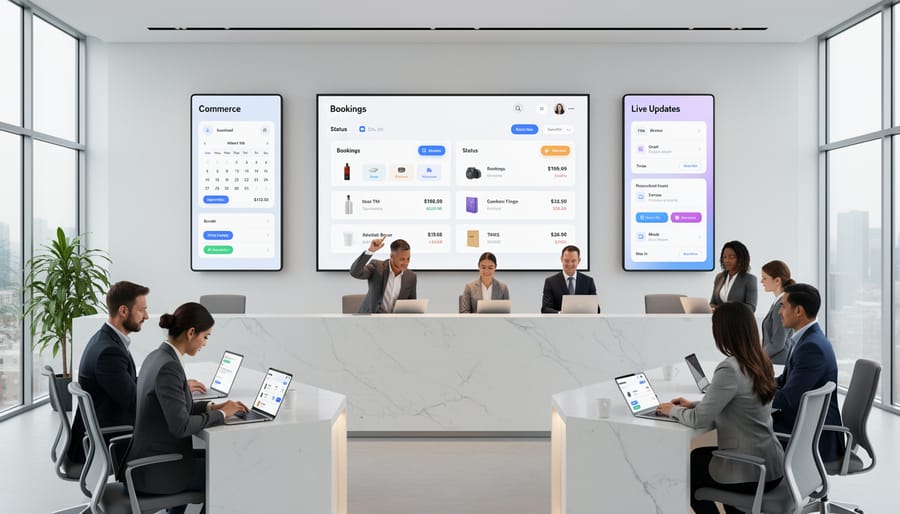
The best news about high tech website design? You don’t need to master everything at once. Start with HTML and CSS, these are the foundation every modern technology builds upon. You can write your first webpage in under an hour, learning how to structure content and apply basic styling.
Once you’re comfortable with HTML structure and CSS styling, add JavaScript for interactivity. This progression matches how the web itself evolved, and it means you’ll understand why advanced frameworks exist rather than just copying code that seems to work.
Think of learning web design like learning to cook. You start with basic knife skills and heat control before attempting complex recipes. Similarly, understanding how a simple HTML page connects to a CSS stylesheet prepares you to grasp how React components or Vue templates function later.
Many beginners waste time jumping straight into trendy frameworks without grasping fundamentals. They end up confused and frustrated. Build your skills in layers: create static pages first, add CSS for visual design, then introduce JavaScript when you need dynamic features. Advanced technologies become approachable when you recognize them as tools solving problems you’ve already encountered with basic code.
Common Questions About High Tech Website Design
Do I really need high tech website design for my small business? It depends on what you’re trying to achieve. If you’re running a simple service business that just needs contact information and a few pages about what you do, a basic HTML/CSS site works perfectly fine. But if you need features like online booking, customer accounts, real-time inventory displays, or interactive product configurators, then high tech design becomes necessary to deliver those experiences.
How long does it take to learn these advanced technologies? Starting from scratch, you can build simple interactive features with JavaScript in a few months of steady practice. Learning a full framework like React typically takes six to twelve months to reach a comfortable working level, but remember, you’re building on HTML and CSS fundamentals the entire time. The learning curve isn’t a wall; it’s a gradual slope where each new skill opens up new possibilities.
Can I add advanced features to my existing website without starting over? Absolutely. Modern high tech features integrate into existing sites all the time. You might add a JavaScript booking widget to your current pages, connect a payment processor, or implement a search function, all without rebuilding everything. Just remember to back up your site before making significant changes.
Is high tech website design expensive? The cost varies wildly based on what you need and whether you’re learning to do it yourself or hiring help. Many powerful frameworks and tools are free and open-source. Hiring a developer for custom advanced features typically starts around $3,000-$5,000 for small projects, while learning the skills yourself costs only time and effort. For most small businesses, a middle path works best: use existing platforms and tools that provide advanced features through user-friendly interfaces, then hire help only for truly custom requirements.
High tech website design might sound intimidating at first, but it’s more accessible now than it’s ever been. You don’t need a computer science degree or years of experience to start building sites with modern features, you just need curiosity and a willingness to learn step by step.
Start with the fundamentals: get comfortable with HTML and CSS before diving into JavaScript frameworks or back-end systems. Master the basics of structure and styling, then gradually layer on interactive features as your confidence grows. Think of it as building a house, you need a solid foundation before adding the high-tech amenities.
The good news? There’s an abundance of free tutorials, documentation, and beginner-friendly tools designed specifically for people learning web development in 2026. Communities of developers actively help newcomers troubleshoot problems and understand concepts. What seemed complex yesterday becomes manageable tomorrow with practice.
Whether you’re building a portfolio, launching a small business site, or just exploring a new skill, remember that every expert started exactly where you are now. High tech design isn’t reserved for professionals, it’s for anyone willing to learn, experiment, and grow their capabilities one project at a time.