

Web development technologies are the programming languages, frameworks, and tools developers use to build and maintain websites and web applications. Think of them as the building blocks that turn an idea into a working site you can visit in your browser.
If you’re curious about creating your own website or just want to understand how the web works, knowing these technologies helps you make smarter decisions. Whether you’re hiring a developer, building a side project, or exploring a potential career change, the landscape can feel overwhelming at first. The good news? You don’t need to master everything at once.
The web development world breaks down into two main areas: the front end (what visitors see and interact with) and the back end (the behind-the-scenes logic and data). Each side uses different technologies, and they work together to create the websites you use every day. Some technologies handle styling and layout, others manage user interactions, and still others store information or connect to databases.
In this guide, we’ll walk through the core technologies that power modern websites in 2026, explain how they fit together, and help you understand which ones matter most when you’re getting started. You’ll see practical examples of what each technology does, learn the difference between essential tools and nice-to-have extras, and get clear direction on where to focus your attention first. By the end, you’ll have a solid grasp of the web development toolkit and feel confident taking your next steps.
What Web Development Technologies Really Mean
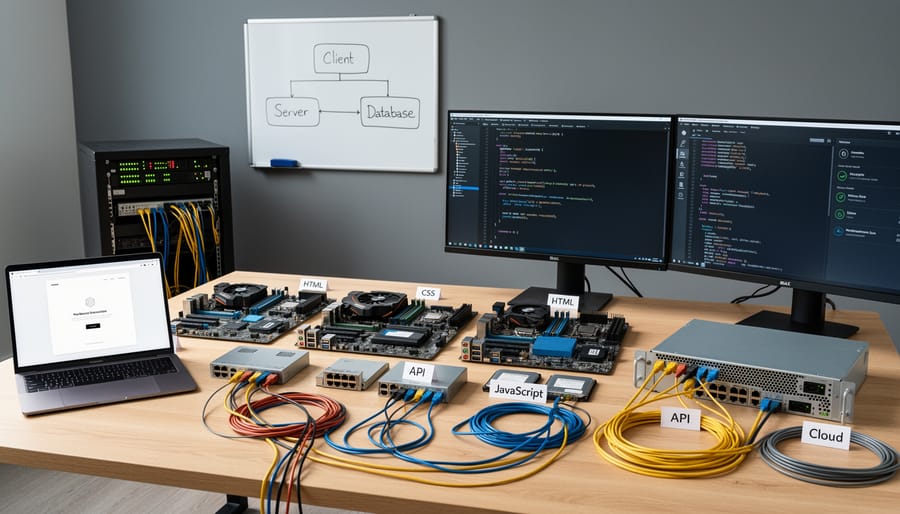
Web development technologies are the programming languages, systems, and tools that developers use to build websites and web applications. While design tools like Photoshop or Figma help create the visual look of a site, development technologies are what actually bring those designs to life in your browser. Think of them as the construction materials and instructions that transform a blueprint into a real, working building.
At their core, these technologies tell computers what to display on your screen, how to respond when you click buttons, where to store information, and how to retrieve it when needed. They range from simple markup languages that structure text and images, to complex programming languages that handle user logins, shopping carts, and real-time updates.
To understand web development technologies better, here are some key terms you’ll encounter:
- Front-end
- The part of a website you see and interact with directly in your browser, including text, images, buttons, and forms. These technologies control how a site looks and responds to your clicks.
- Back-end
- The behind-the-scenes technology that runs on a server, handling data storage, user authentication, and processing requests you can’t see. It powers features like logging in or submitting a contact form.
- Markup language
- A system for organizing and labeling content using tags, like HTML. It tells browsers what each piece of content is (a heading, paragraph, link) but doesn’t perform calculations or logic.
- Programming language
- A language that can perform calculations, make decisions, and respond to user actions. JavaScript is the most common example for websites, adding interactivity and dynamic behavior.
These technologies don’t work in isolation. A typical website combines several of them, each handling different jobs. The markup language structures your content, styling technologies make it look appealing, and programming languages add the interactive features that make modern websites feel responsive and alive. Together, they create the seamless web experience you’re used to, even though many different technologies are working behind the scenes.
How Web Development Technologies Work Together
Think of building a website like constructing a house. You need a solid frame, attractive finishes, and working systems like plumbing and electricity. Web development technologies work the same way, with each one handling a specific job.
When you visit a website, your browser performs a quick three-step process. First, it reads the HTML code, which creates the basic structure: headings, paragraphs, images, and links. This is like the frame and walls of your house. The HTML tells the browser what content exists and how it should be organized.
Next, the browser applies CSS (Cascading Style Sheets) to make everything look good. CSS controls colors, fonts, spacing, and layout. Without CSS, every website would look like a plain text document with blue underlined links. CSS is the paint, flooring, and interior design that makes the structure visually appealing.
Finally, JavaScript makes the page interactive and responsive. When you click a button, submit a form, or see content update without refreshing the page, that’s JavaScript at work. It’s like the electrical system that makes lights turn on and appliances function.
Behind the scenes, server-side technologies often support this process. When you log into a website or search for products, server languages like PHP or Python process your request, retrieve information from databases, and send back fresh HTML for your browser to display. The browser receives the code and repeats the three-step process.
These technologies don’t work alone. They’re constantly communicating, with each one contributing its specialty to create the complete experience you see on your screen. Understanding this layered approach helps beginners see that web development isn’t one massive skill but a collection of distinct, learnable pieces.
The Main Types of Web Development Technologies
Markup and Styling Languages
HTML and CSS are the starting point for every website, think of them as the essential foundation before you add anything else.
HTML (HyperText Markup Language) creates the structure and content of your web pages. It defines what appears on the page: headings, paragraphs, images, links, buttons, and forms. When you write HTML, you’re essentially telling the browser “put a heading here, an image there, and a paragraph below that.” It’s like creating a concept web where you organize the different pieces of information that make up your page.
CSS (Cascading Style Sheets) handles how everything looks. Once HTML establishes the structure, CSS styles HTML elements by controlling colors, fonts, spacing, layout, and positioning. Want your heading to be blue and centered? That’s CSS. Need your navigation menu to appear horizontally instead of vertically? CSS handles it.
Here’s why they’re both essential: HTML without CSS gives you a plain, unstyled page that works but looks like a basic document from the 1990s. CSS without HTML has nothing to style, you need the structure first. Together, they create the visible, formatted web pages you interact with daily.
Every single website uses these two technologies, no exceptions. They’re standardized across all browsers, well-documented, and the easiest web technologies to learn. That’s why most beginners start here before moving on to programming languages that add interactivity.
Programming Languages for Interactivity
While HTML and CSS create the structure and look of a website, they can’t respond to what you do. That’s where JavaScript comes in. JavaScript enables interaction by making your website react to clicks, form submissions, scrolling, and other user actions.
Think of JavaScript as what brings a website to life. When you click a button and a menu slides open, that’s JavaScript. When you fill out a form and see an error message appear instantly (before you even submit), that’s JavaScript checking your input. When images fade in as you scroll down a page, JavaScript is controlling that animation.
Here are some everyday things JavaScript handles:
Dropdown menus that open when you click them. Image sliders and carousels that rotate through photos. Pop-up windows and modal dialogs. Form validation that checks if you’ve entered a valid email address. Content that updates without reloading the entire page, like seeing new posts appear on a social media feed. Calculators, quizzes, and interactive tools that respond to your choices.
JavaScript runs directly in the visitor’s web browser, which means it works instantly without needing to contact the server. This makes websites feel fast and responsive. You’ll find JavaScript on nearly every modern website because users expect sites to do more than just sit there looking pretty.
Server-Side Technologies

Server-side technologies are the behind-the-scenes code that runs on a web server, not in your browser. While HTML, CSS, and JavaScript work on the visitor’s computer, server-side languages handle tasks that need to happen privately and securely, like processing passwords, storing user data, and retrieving information from databases.
Think of it like a restaurant kitchen. What you see on your plate is the front-end, but the actual cooking, ingredient storage, and recipe execution happen in the back where customers can’t see. Server-side technologies work the same way.
Popular server-side languages include PHP, Python, and Node.js. PHP powers many content management systems and handles tasks like processing contact forms and managing user sessions. Python is known for being beginner-friendly and is commonly used for data-heavy applications. Node.js lets developers use JavaScript on the server, which means you can use the same language for both front-end and back-end work.
These technologies come into play whenever a website needs to remember who you are, save your preferences, process payments, or pull specific information from a database. When you log into a website, the server-side code checks your credentials. When you submit a contact form, server-side code sends the email and stores the message.
Frameworks and Libraries
Frameworks and libraries are collections of pre-written code that handle common tasks, so you don’t have to build everything from scratch. Think of them like recipe books full of tested solutions, instead of figuring out how to make a dropdown menu work in five different browsers, you can use code that someone else already perfected.
Bootstrap is a popular CSS framework that gives you ready-made styles for buttons, navigation menus, and page layouts. Instead of writing hundreds of lines of CSS to make your site look polished and work on phones, you add Bootstrap’s code and use their pre-designed components. It’s particularly helpful for beginners because your site immediately looks professional without needing advanced design skills.
JavaScript libraries like React or jQuery work similarly for interactive features. React helps you build complex user interfaces (like feeds that update without refreshing the page), while jQuery simplifies common tasks like animations and form validation. You’re still writing code, but these tools handle the complicated technical parts in the background.
The main advantage? You spend more time building what makes your site unique and less time reinventing basic features that every website needs.
What You Can Build with Web Development Technologies
Understanding what you can actually build helps make these technologies less abstract. Let’s look at some common website types and features that beginners often create.
A personal portfolio or resume website is typically the first project for new developers. You can build a professional-looking portfolio using just HTML for content structure and CSS for layout and design. These sites showcase your work, display your skills, and provide contact information. If you want to add smooth transitions or a contact form that validates user input before submission, you’ll incorporate JavaScript into the mix.
Blogs and content-driven websites require a bit more complexity. While you could hand-code each blog post in HTML, most people use a content management system powered by server-side languages like PHP or Python. WordPress, for example, runs on PHP and MySQL (a database technology) to store posts, manage categories, and handle comments. The front end still relies on HTML, CSS, and JavaScript to display everything nicely in the browser.
Here are some common types of websites and the technologies they typically use:
- Portfolio sites: HTML, CSS, and JavaScript for animations and interactivity
- Blogs: HTML/CSS for display, PHP or Python for content management, MySQL for storing posts
- Online stores: Full-stack setup including React or Vue.js for the interface, Node.js or PHP for processing orders, and database technology for inventory
- Interactive forms and calculators: HTML for structure, JavaScript for logic and validation, possibly PHP for sending data to email or databases
E-commerce sites represent the more advanced end of what you can build. An online store needs secure payment processing, inventory management, shopping cart functionality, and user accounts. This requires combining front-end technologies (HTML, CSS, JavaScript frameworks like React) with back-end languages (Node.js, PHP, or Python), databases, and often third-party services for payments.
Interactive features like quizzes, calculators, or real-time chat functions rely heavily on JavaScript. A mortgage calculator, for instance, uses JavaScript to perform calculations instantly as you type, without reloading the page. More complex interactive features might connect to a server using technologies like Node.js to process data or communicate with other users in real time.
The good news? You don’t need to master everything at once. Start simple with static pages, then gradually add interactivity and back-end features as your skills grow.
Getting Started: Which Technologies to Learn First
Start with HTML and CSS, that’s the universal advice from developers, and for good reason. These two technologies form the foundation of every website you’ll ever build, and they’re designed to be beginner-friendly. HTML gives you structure, CSS makes things look good, and together they let you create real, working web pages in your first few hours of learning.
You don’t need to master everything before you see results. In fact, you can write your first webpage with just a dozen lines of HTML, then gradually add CSS to style it. This immediate feedback keeps you motivated and helps concepts stick better than reading theory alone.
Once you’re comfortable creating and styling pages, add JavaScript to your toolkit. It’s the next logical step because you’ll already understand how HTML structures content and CSS presents it, JavaScript just makes that content interactive. You’ll be able to respond to button clicks, validate forms, and update pages without reloading them.
This three-step path (HTML, then CSS, then JavaScript) typically takes a few months if you’re learning part-time, but you’ll build actual websites along the way rather than studying in isolation. Don’t rush into frameworks or back-end languages yet. Master the fundamentals first, because every advanced tool builds on this core trio.
The technologies themselves are stable. HTML and CSS evolve slowly, with new features added gradually over years. JavaScript changes faster, but the basics you learn today will remain relevant. Focus on understanding core concepts rather than memorizing syntax, you can always look up the exact code later. The goal is building things, not knowing everything before you start.
Common Questions About Web Development Technologies
Do I need to learn all web development technologies to build a website?
No, you don’t need to master everything. Most beginner projects only require HTML, CSS, and basic JavaScript. You can build functional, attractive websites with just these three technologies and add more advanced tools as your projects grow more complex.
Are web development technologies constantly changing?
The core technologies like HTML, CSS, and JavaScript remain stable, though they do evolve with new features over time. Frameworks and libraries change more frequently, but the fundamentals you learn today will stay relevant for years. Focus on mastering the basics first before worrying about keeping up with every trend.
Can I build a website without coding?
Yes, website builders like Wix, Squarespace, and let you create sites without writing code. However, learning to code gives you far more control, customization options, and the ability to build exactly what you envision without template limitations.
Which web development technology is most important to learn first?
HTML is the foundation you should learn first because it structures all web content. CSS comes next for styling your pages, followed by JavaScript for adding interactivity. This order builds your knowledge logically, with each technology building on what you’ve already learned.
How long does it take to learn web development technologies?
You can learn HTML and CSS basics in a few weeks of regular practice. Getting comfortable with JavaScript typically takes a few months. Building real projects while you learn helps you retain knowledge faster than just reading tutorials.
Do I need expensive software to practice web development?
Not at all. You can start with completely free tools like Visual Studio Code for writing code and Chrome or Firefox for testing. All the core technologies are free to use, and you don’t need paid software until you’re ready to launch a live site with hosting and site backups.
These questions come up repeatedly because web development feels intimidating when you’re starting out. The good news is that the learning curve isn’t as steep as it appears. You won’t break anything by experimenting, browsers have excellent built-in tools for seeing how websites work, and there’s a massive community of developers who started exactly where you are now. The technologies themselves are designed to be learnable, with clear documentation and countless free resources available online.
You now have a clear picture of what web development technologies are and how they work together to create the websites you use every day. The good news? These aren’t mysterious skills reserved for computer geniuses, they’re practical tools that anyone can learn with patience and practice.
Start with HTML and CSS. These two technologies form the foundation of every website, and they’re deliberately designed to be beginner-friendly. You can build your first webpage within an hour of starting, which gives you that immediate sense of accomplishment that keeps you moving forward. From there, add JavaScript when you’re ready to make things interactive.
Don’t worry about learning everything at once. Focus on understanding the basics well, experiment with simple projects, and build your skills gradually. The web development landscape does evolve, but the core principles remain remarkably stable, HTML, CSS, and JavaScript have been fundamental for years and will continue to be.
We’ll keep this guide updated as standards and best practices change, so you can always come back for current information. Take that first step today, and you’ll be surprised how quickly these technologies start making sense.